Create Community API
This guide explains how to create Community through API call .
REQUEST
testing server:
POST https://staging.xpay.app/api/communities/create_community
production(Live) server:
POST https://staging.xpay.app/api/communities/create_community
Headers
Content-Type: multipart/form-data
Parameters
No params {/* #### Required Properties
| Property name | Value | Description | Notes |
|---|---|---|---|
| x-api-key | string | API key linked to your community | generate API key |
Request body
Required Properties
| Property name | Value | Description | Notes |
|---|---|---|---|
| name | string | Community name | |
| logo | file | image for community logo "png, jpg" |
Optional Properties
| Property name | Value | Description | Notes |
|---|---|---|---|
| app_modules | string | Check allowed modules for community from list [Service, Bill, Event, Product, Training, Sport, Course] | comma splitted string example "Service,Bill,...etc" |
| registered_name | string | Alternative name for community | |
| address | string | Provided address for community | |
| string | an Email for community | ||
| phone | string | Phone number for community | |
| payment_methods | string | Allowed payment methods for community from list [Card, Kiosk, Meeza/Digital, Fawry, valu] | comma splitted string example "Fawry,valu,...etc" |
| kiosk_processor | string | Kiosk payment through method [FAWRY, AMAN] | default AMAN |
| wallet_processor | string | Wallet payment through method [Banque ElAhly (NBE), Banque Misr (BM), Orange Money(OM)] | |
| redirect_successful_only | string | Url for successful payment where redirect after success |
Response
If successful, this method returns a response body with the following structure:
{
    "status": {
        "code": 200,
        "message": "success",
        "errors": []
    },
    "data": {},
    "count": null,
    "next": null,
    "previous": null
}
Example
{
    "name": "New Community",
    "app_modules": "event, service",
    "order_description": "Monthly rent payment",
    "payment_methods": "card,fawry",
    "logo": "logo.png",
    "allowed_cards": "NBE",
    "NBE_setting": {"integration_method": "DI", "merchant_id":"1234",  "api_password": "pass1234"},
}
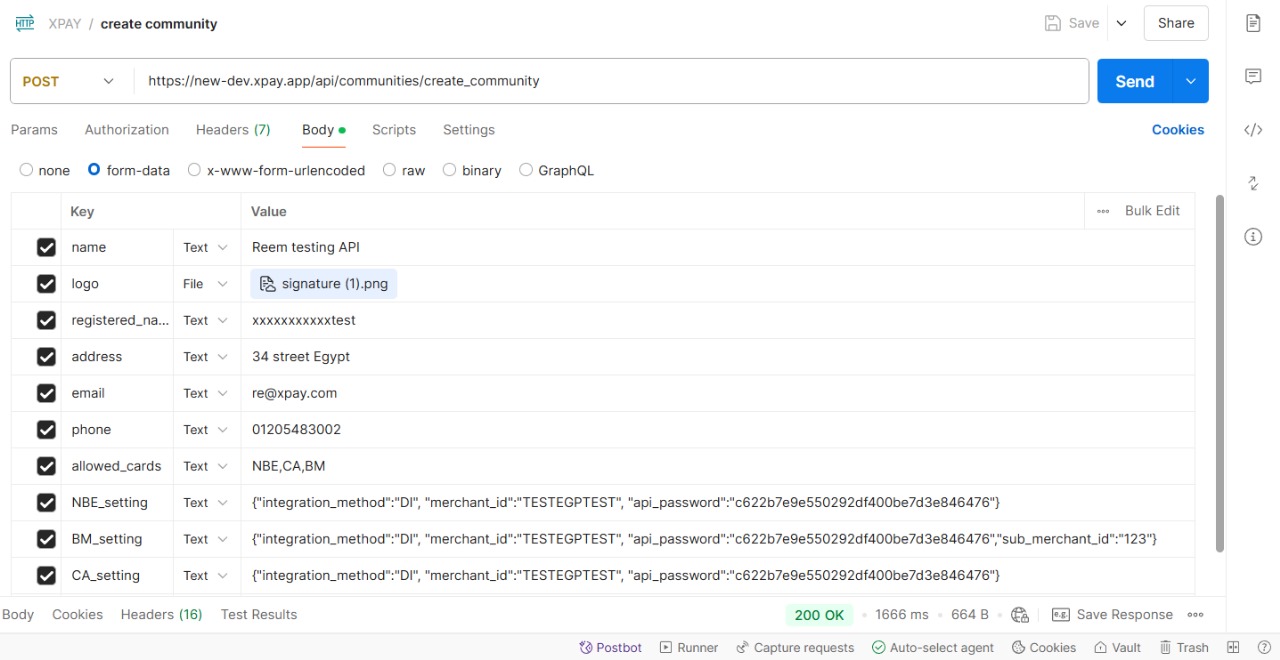
{
    "status": {
        "code": 200,
        "message": "success",
        "errors": []
    },
    "data": {},
    "count": null,
    "next": null,
    "previous": null
}